There are a handful of options available to expand the media library available.
Links are available to these methods on the main portal at https://lusk.stream.
Discord
If you are a verified member of our Discord channel, you can use the helpful requests bots, requestrr or doplarr, by typing their respective / (slash) commands in any channel.
Why are there 2 bots? Redundancy. Also, doplarr is very simple and user friendly. requestrr has more options, including the ability to request 4K content and report issues with media.
Requestrr
The currently available commands are:
/request Movie
/request Movie_4K
/request TV
/request TV_4K
/request Anime
/issue Movie
/issue Movie_4K
/issue TV
/issue TV_4K
/issue Anime
/help
/ping
For Example: /request movie Deadpool 2
Doplarr
The currently available commands are:
/request movie
/request series
For example: /request series Breaking Bad
Help (Using Discord bots)
There are 2 ways to access a bot: Apps and / (slash) commands.
When you start typing a message with /, available commands will appear.
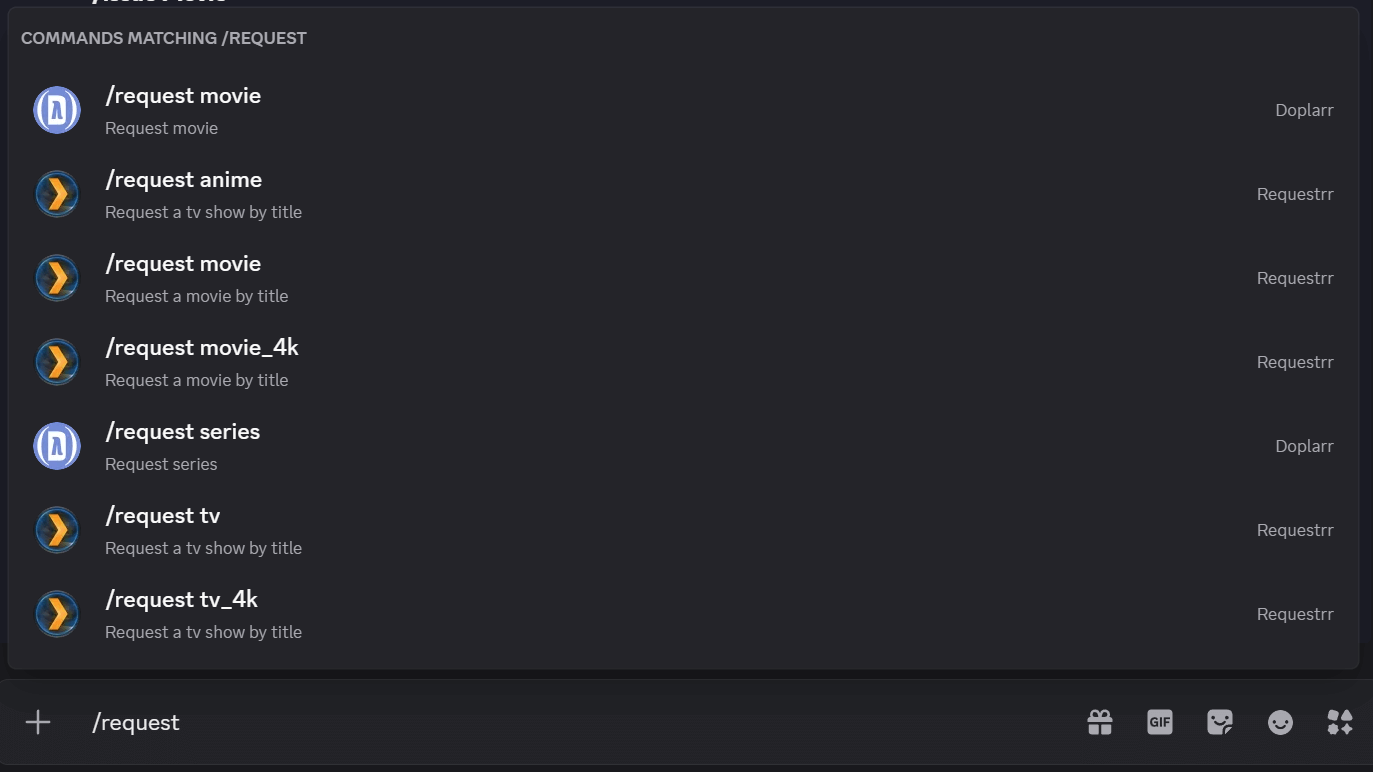
Discord command autocomplete (Desktop Client)
You can also click on the Apps icon, either on the UI  or using the ➕(plus) menu.
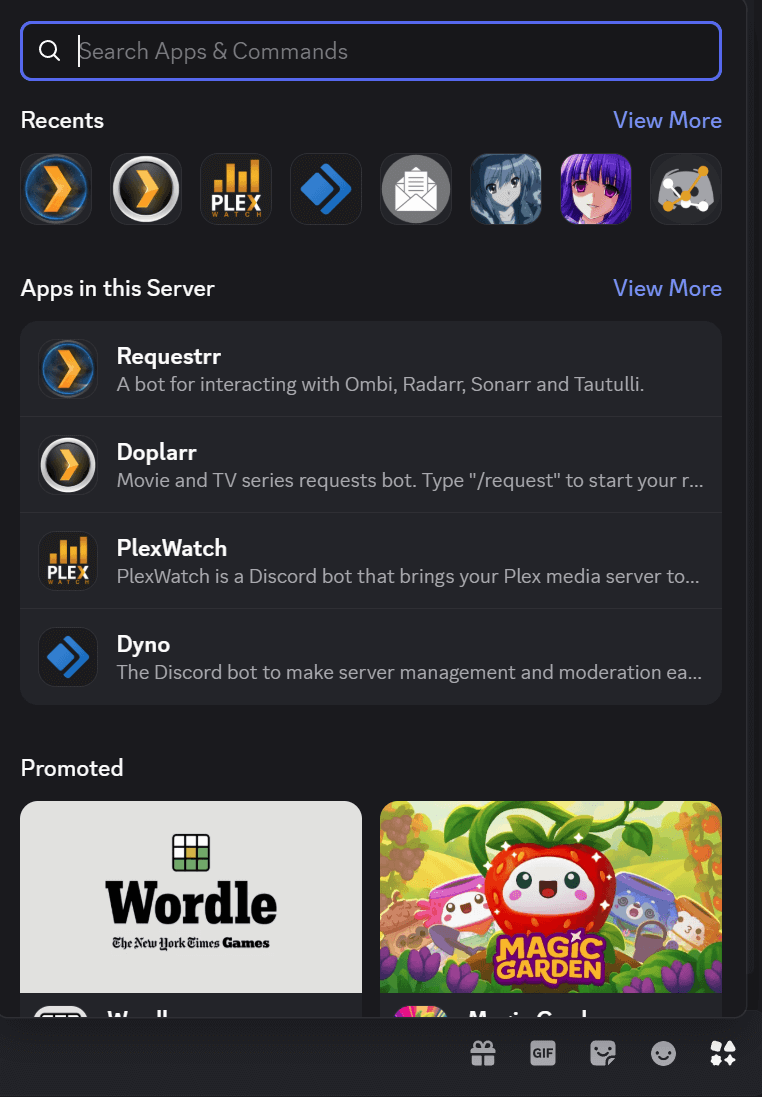
The “Apps” menu (Desktop Client)
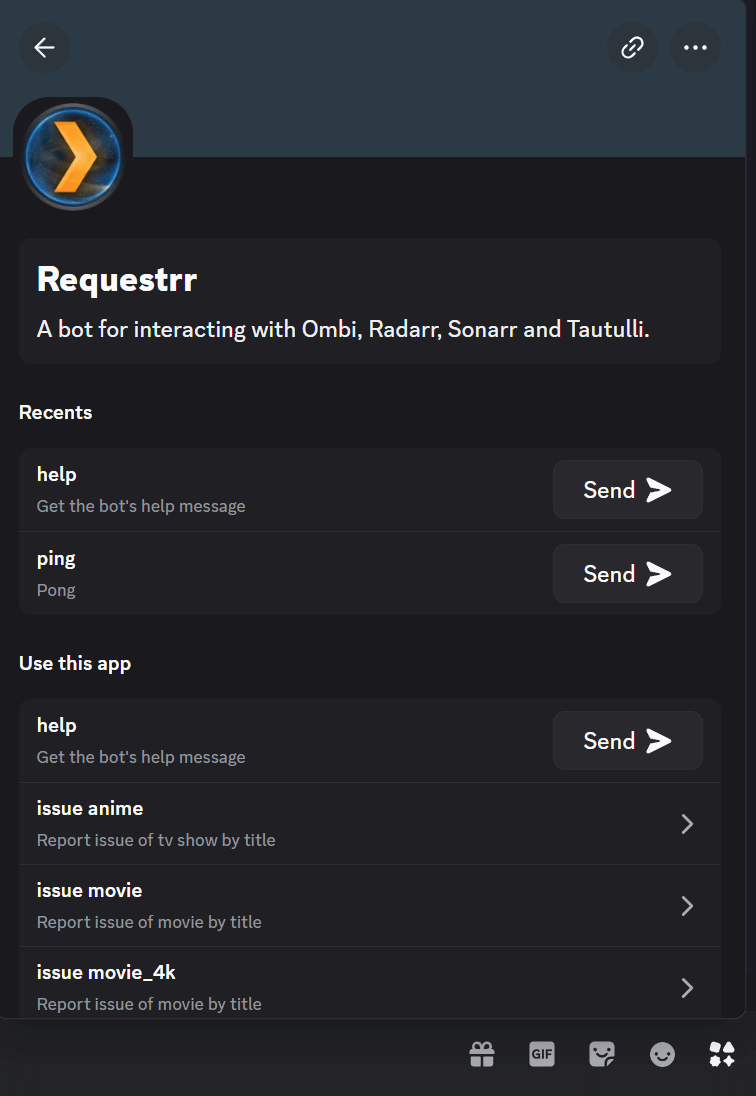
The Requestrr “App” (Desktop Client)
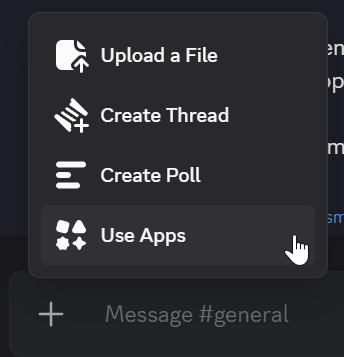
The ➕(plus) menu (Desktop Client)
Web Interface (Overseerr)
You can also visit the Requests Portal directly at https://requests.lusk.stream.